I'm migrating a website with a fleet of AI agents
Each agent takes one page. I decide the order, approve anything that touches production, and fix the rules when something slips. Here is how it works and what still went wrong.
I’m moving the website at work from Gatsby to Next.js. I’m not writing most of the code. A group of AI agents is, each one in its own terminal, each one with one page.
My job is different now. I decide what moves next, I approve anything that touches production infrastructure, and when something goes wrong I fix the rule, not the page.
Here’s how it’s set up, and what still went wrong.
One agent, one page
The site moves one route at a time. A CDN sits in front of everything, and each route has a rule that says “old site” or “new site”. So the work splits naturally: one agent takes /bible, another takes the giving pages, another takes onboarding.
A few rules keep them from stepping on each other:
- At most five agents on the website at the same time. More than that and they spend their time waiting on each other’s merges.
- Never two agents on the same file. Before an agent starts, a small script checks if another live agent is already changing the files it needs. If so, it picks something else.
- Each agent gets its own folder (a git worktree). More on why below.
”Done” means the visitor can do everything they could before
This is the rule every agent gets in its brief: the route doesn’t move until a visitor on the new page can do everything a visitor could do on the old one.
“It looks the same” isn’t enough, so each agent has to prove it:
- a screenshot of the old page and the new one, at phone and desktop width, compared by the agent, not by me
- the page as Google sees it, with no JavaScript
- the real requests the old page sent, captured and compared with the new one
That last one sounds like overkill. It isn’t. For onboarding, the agent captured every call the old flow made to the API and showed all 18 were byte for byte the same on the new one.
Another model reviews every PR
Before a PR can open, a different model reviews it. Not the agent that wrote it, a fresh one, ideally from another company.
This is the part that surprised me the most. The giving pages went through 11 review rounds before they were ready. One round found an amount being sent in dollars where the payment API expected cents. The agent that wrote it was sure it was fine. The tests were green.
What still went wrong
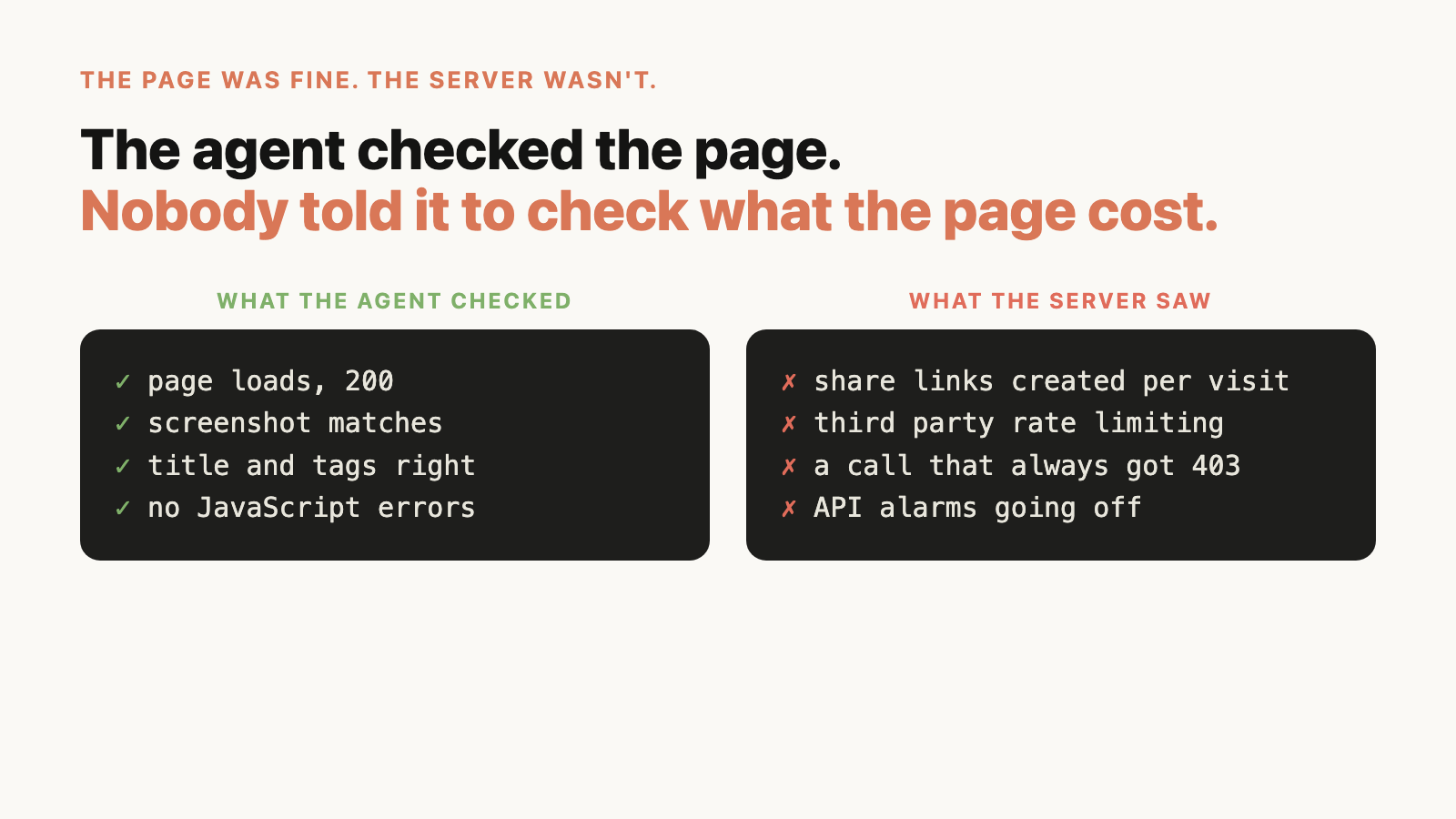
The page was fine. The server wasn’t.
One route moved and everything looked perfect. Screenshots matched, the page loaded, the checks were green.
Then the API alarms went off. On every visit the new page was creating a few share links through a third party, and the third party started rate limiting the site. The agent checked the page. Nobody told it to check what the page cost the server.
Now every brief says it: before moving a route, count the API calls one visit makes and what each one does. After the move, watch the API, not just the page.
Ten agents, one folder
Early on I opened ten agents in the same project folder. When their sessions restarted, the tool picked “the latest conversation in this folder” to resume. Eight windows resumed the same conversation.
The code was fine. Branches, commits and PRs live on disk and on GitHub. But seven agents lost everything they knew about their task.
Now each agent gets its own folder, and if a restart can’t tell which conversation belongs to which agent, it refuses and starts fresh from the task file. Slower and correct beats fast and wrong.
An agent trusted an old note
One agent started its task saying a section was “still on the old site”. It had moved three weeks before. The agent read it in a doc and believed it.
Now the question “which site serves this route?” is always answered by asking the live domain, never a note.
What I actually do
Less coding, more deciding:
- the order. “Move the giving pages first, it’s money” is a decision an agent can’t make.
- anything outside the laptop. CDN changes on production wait for me, every time. An agent once filed an infrastructure request on its own, and that was the end of that.
- the rules. When something slips, I don’t fix that page. I change the brief or add a check, so no agent makes the same mistake again. Everything in “what still went wrong” above became a rule.
If you want the technical side (soft 404s, wildcard routes, what bots see), I wrote that up here: Every page returned 200. Some were still broken.
Are you using agents for a migration like this? What do you keep for yourself?
Get the next post by email
One email when something new is out. No spam.